


Wedding RSVP Etiquette: How to Track Responses Without Losing Your Mind
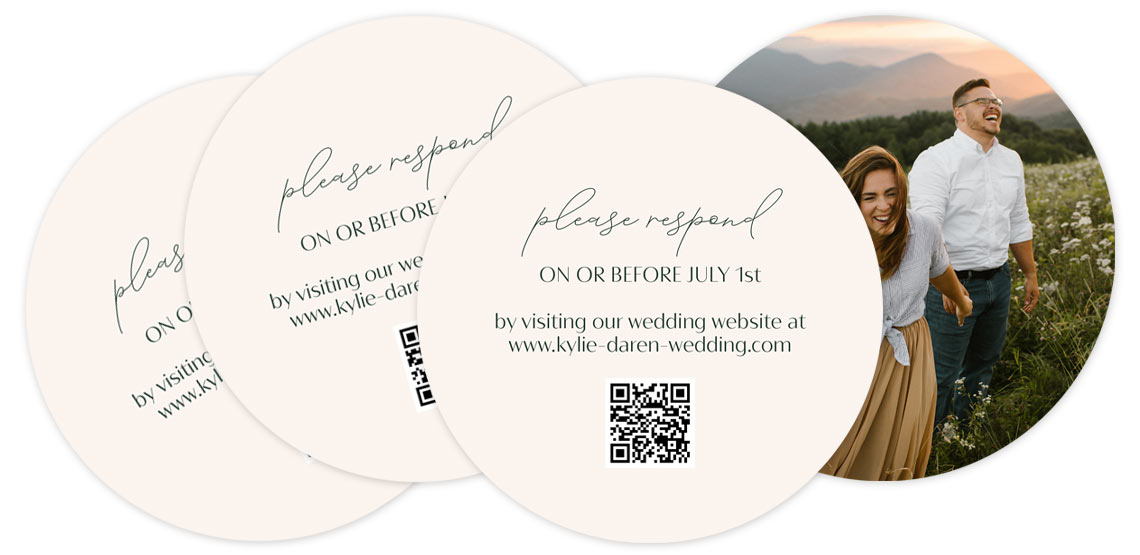
Featured RSVP Card: Beautiful Moments
So...What Is a Wedding RSVP Card, Anyway?
If you’ve never planned a big event before, the idea of sending out RSVP cards might feel a little old-school…or just plain confusing. Let’s break it down.
An RSVP card (short for répondez s’il vous plaît, aka “please respond”) is the part of your wedding invitation that guests use to let you know whether or not they’re attending. It’s a small but mighty piece of your invitation suite, and it plays a huge role in everything from catering numbers to your seating chart to your sanity.
Traditionally, RSVP cards are mailed back to the couple, but digital RSVP options are on the rise. No matter what route you take, managing your RSVPs well is key to smooth wedding planning, and we’re here to help.
Mail-Back RSVP Cards vs. Digital RSVPs: What’s the Difference?
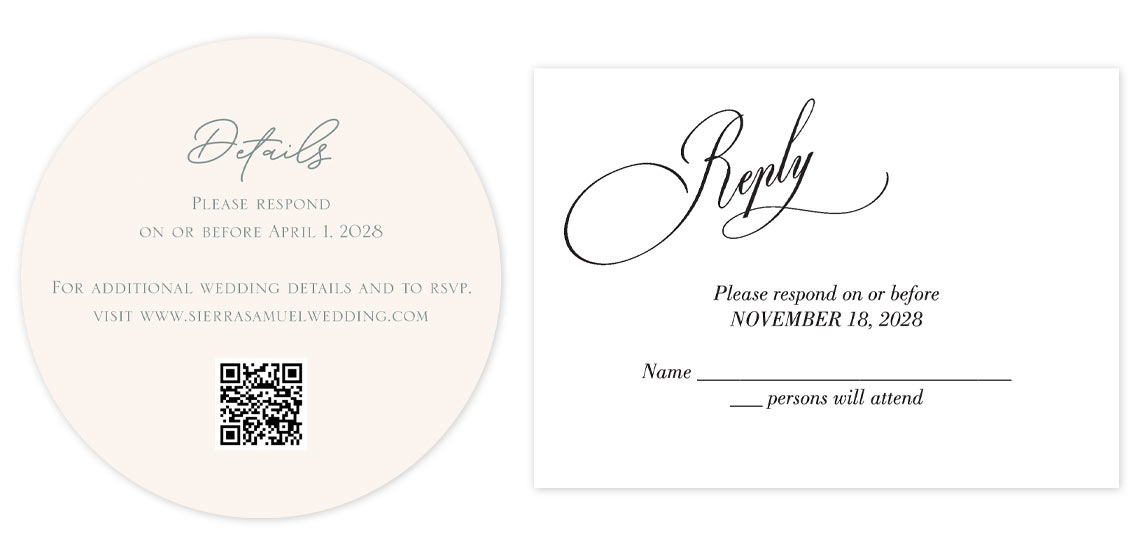
Featured RSCP Cards: Botanical Silhouette and Scrawled Script
-
There are two main types of RSVP cards these days: traditional and digital. Let’s compare.
Traditional RSVP Cards
These are the classic cards you tuck into your wedding invitation suite, complete with a pre-stamped envelope for guests to send back. They usually have space for the guest’s name, a checkbox to accept or decline the invitation, and sometimes meal choices or song requests. This method feels formal and timeless—and let’s be honest, it’s kind of fun to get something in the mail.
Digital RSVP Cards
Instead of (or in addition to) a card, you provide your guests with a website URL or a QR code that takes them to your wedding website, where they RSVP online. No stamp required! This is perfect for tech-savvy couples who want to streamline the process—and it makes wedding RSVP tracking a little easier on the back end.
Pro tip: You can combine both methods by printing your RSVP website on the card itself or adding a QR code. This gives guests the option to respond however they’re most comfortable.
How to Track Responses from Traditional RSVP Cards
If you’re sticking with the classic mail-in method, here’s how to manage wedding RSVPs without letting them take over your life.
Start with a Guest List Spreadsheet
Before you send out a single invitation, set up a guest list spreadsheet. Include names, addresses, how many people are invited in each household, and a space to mark their response (yes, no, or no response yet). If you’re offering meal choices, include a column for those too.
This sheet will be your go-to tool for wedding guest list management.
Number Your RSVP Cards (Trust Us on This One)
Here’s one of our favorite old-school wedding RSVP tips: number your RSVP cards before you mail them. Use a small pencil mark on the back of each card that corresponds with a row in your spreadsheet. That way, if someone sends back a blank RSVP card (yes, it happens), you can still figure out who it came from.
It’s low-key genius.
Stay on Top of Responses
- As responses roll in, update your spreadsheet regularly. Don’t let them pile up in a box—it’s way too easy to lose track. Make it a ritual: open each RSVP, do a happy dance, then log the info right away.
- If your RSVP includes dinner options, be meticulous about recording them. Caterers need those numbers, and guessing on chicken vs. fish is never a good time.
How to Track Wedding RSVPs Digitally
Going digital? Smart move. There are tons of great tools to help you stay organized and efficient.
-
Best Digital RSVP Tools for Couples
- Some of the most popular wedding websites that include RSVP functionality are:
- • The Knot
- • Zola
- • WeddingWire
- • Joy
- These platforms make it easy to collect RSVPs, meal choices, song requests, and even guest contact info, all in one tidy dashboard.
- Tips for Creating a Digital RSVP
- • Make it super clear where and how to RSVP. If you're not sending a traditional RSVP card, be sure your invitation prominently displays your wedding website and/or a QR code that links directly to the RSVP page.
• Test it first. Walk through the process like a guest would. If it takes more than a few clicks, simplify it.
• Provide a non-digital backup. Not every guest will be comfortable going online. Include a phone number or email address as a backup option, especially for older guests.
What to Do When People Don’t RSVP
We know you want to believe that your guests will respond right away and follow all the wedding RSVP etiquette rules...but the reality is, some people just won’t. And that’s okay. You’re not alone.
Here’s how to manage wedding RSVPs when people go MIA.
Send a Gentle Reminder
A week after your RSVP deadline, start following up. You can text, email, or call—whatever feels most comfortable. Keep it casual and kind:
“Hi! Just checking in to see if you’ll be able to join us for the big day. We can’t wait to celebrate and want to make sure we’ve got everything planned just right!”
Assign a Friend or Family Member
Don’t feel like chasing down responses? Enlist a super-organized sibling or friend to help. Give them your spreadsheet and a list of missing RSVPs, and let them play detective.
Have a Final Guest Cut-Off Date
Set a “final count” deadline for yourself (usually about 2-3 weeks before the wedding) and stick to it. If someone hasn’t responded by then, assume they’re not coming and move on. Your sanity is more important than someone else’s flakiness.
Wedding RSVP Tips to Keep You Sane
Let’s recap with a few golden rules for how to track wedding RSVPs without losing your cool:
• Start organized, stay organized. Your spreadsheet is your new best friend.
• Use numbering on RSVP cards. It’s a lifesaver when guests forget to write their name.
• Log every response promptly. Don’t let them pile up.
• Go digital if it makes life easier. And always test your RSVP website before you send.
• Follow up with love, not stress. It’s okay to check in with guests who haven’t responded.
• Give yourself permission to move on. Set a deadline and let it be final.
Planning your wedding should be joyful, not stressful. With a few smart systems and a sense of humor, wedding RSVP tracking can be one of the easiest parts of your planning process.
Now go check your mailbox (or your inbox!)...your guest list is waiting!